Tools we built
for the show.

We run live events, and sometimes the tool we need does not exist. So we write it. These tools came out of our own shows. They are free to use, at your shows too.

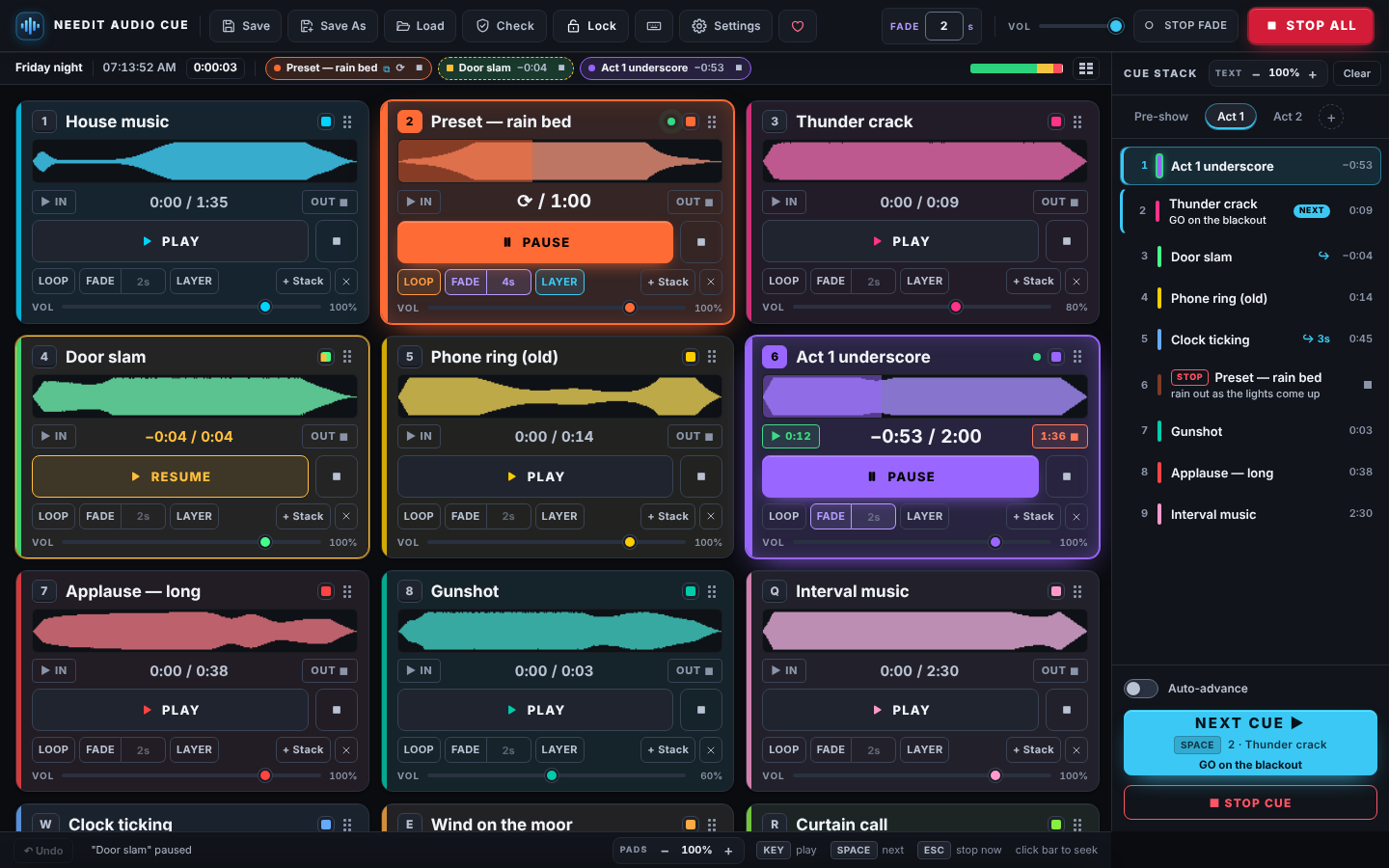
needit Audio Cue running a show: coloured sound pads with waveforms on the left, the cue list with the Next Cue button on the right
Windows / macOS / iPad and browser
needit Audio Cue

Sound cues for theatre, events and live shows. Load your sounds onto pads, build the cue list, and fire each cue with a key, a button or a Stream Deck.

  • Crossfades, loops, layers, and in and out points on every sound
  • A cue list per scene, with one big Next Cue button
  • A pre-show check that says Ready or Not ready
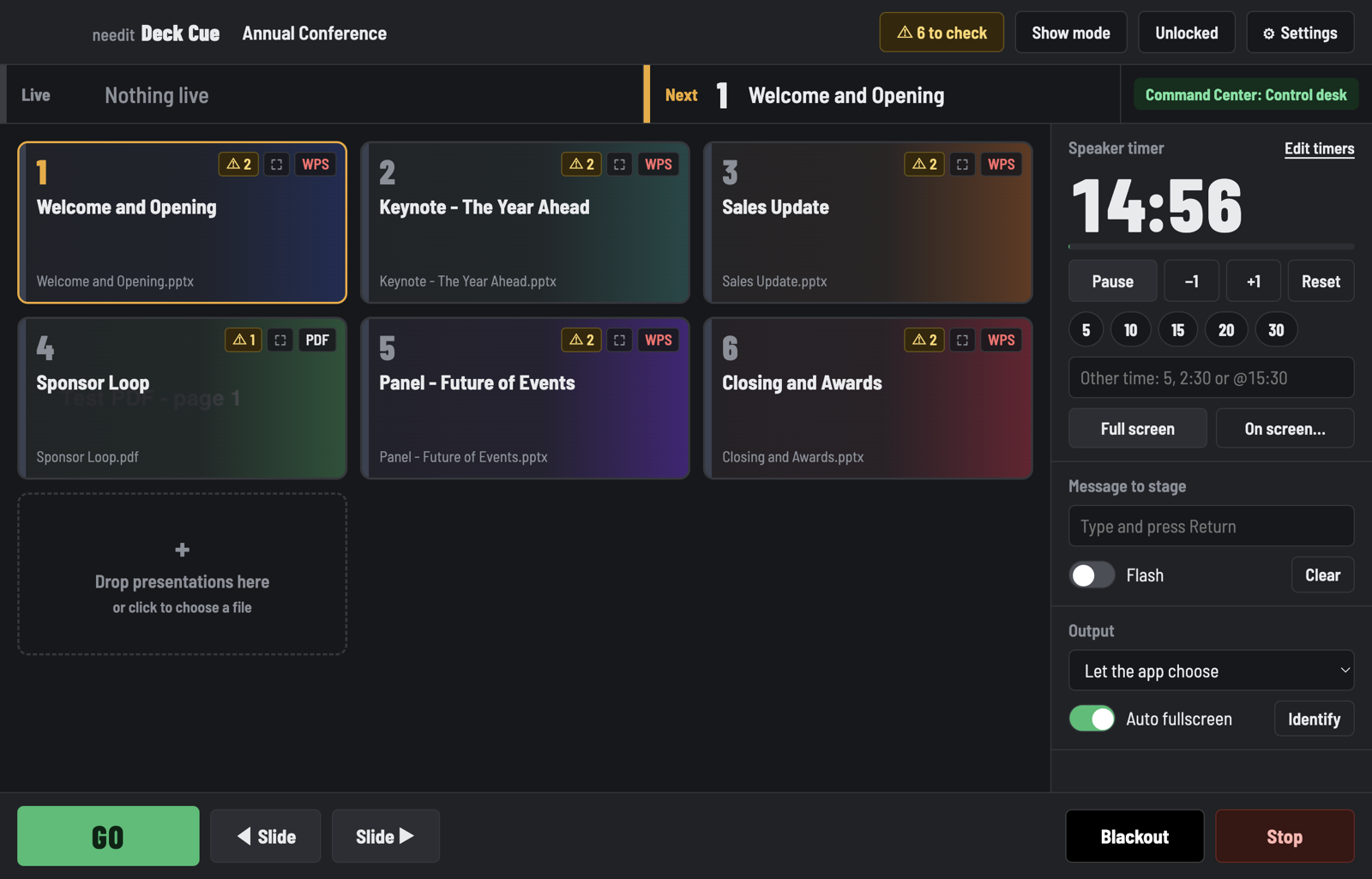
needit Deck Cue: six presentations as cue buttons, a running speaker timer, and the GO, Blackout and Stop buttons
Windows / macOS / early release

needit Deck Cue

Every presentation becomes a cue button. Press it and the deck opens full screen on the right output. It works with PowerPoint, Keynote, WPS Office and PDF files.

  • Drop files from a USB stick and it keeps only the latest version
  • A speaker timer on the stage screen, full screen or over the slides
  • A stage display, a phone remote for the presenter, and Stream Deck control
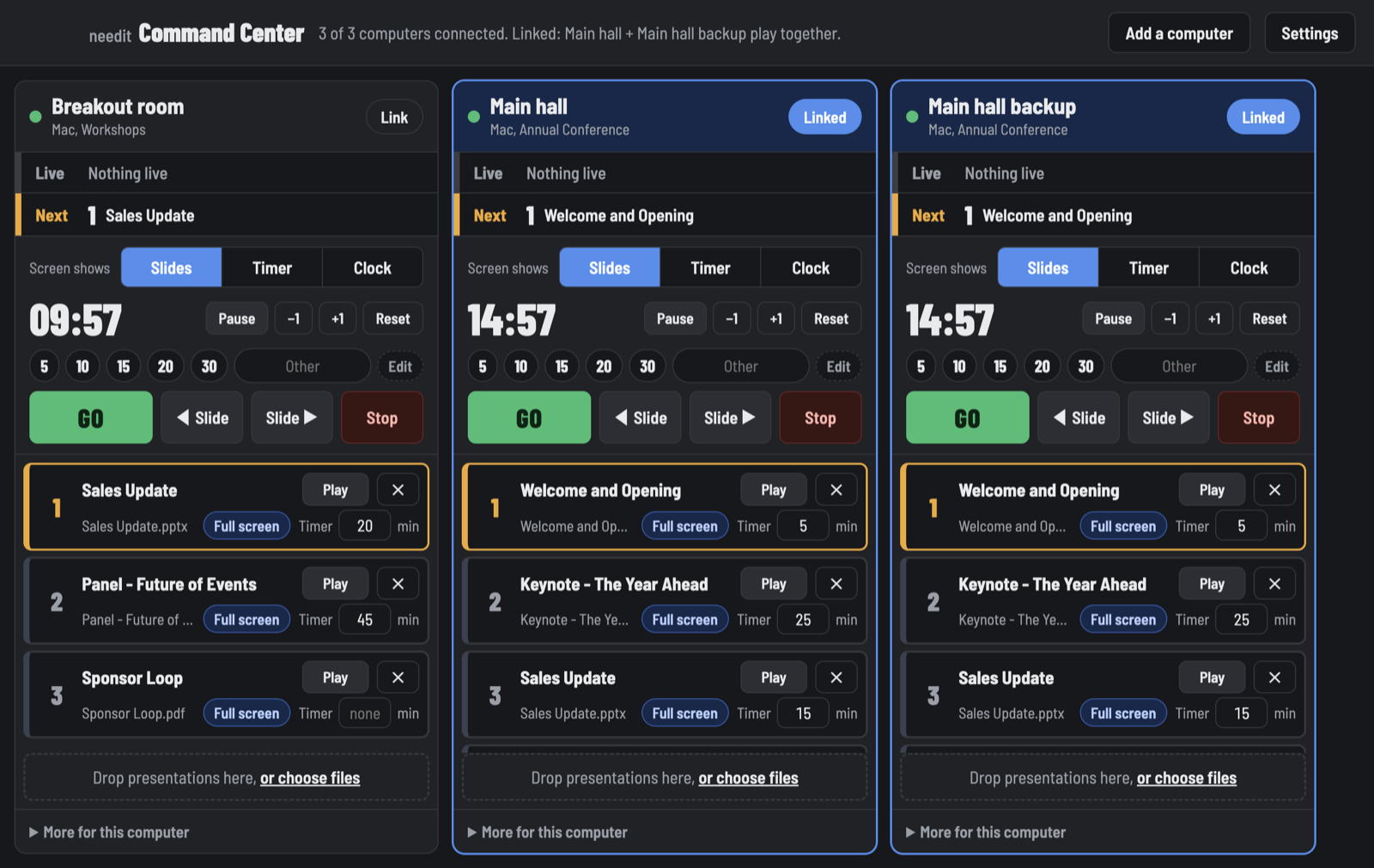
needit Command Center: three show computers side by side, the main and backup machines linked, each with its cue list, timer and GO button
Windows / macOS / works with Deck Cue

needit Command Center

One computer runs every show computer on the network. Drop the presentations on a machine and they are copied to it. Nobody walks around with USB sticks.

  • Set the order, press play and run the timers from one seat
  • Link main and backup, and they start the same cue together
  • Choose what each screen shows: slides, a timer or the clock

It comes on the same download page as Deck Cue, which runs on each show computer.

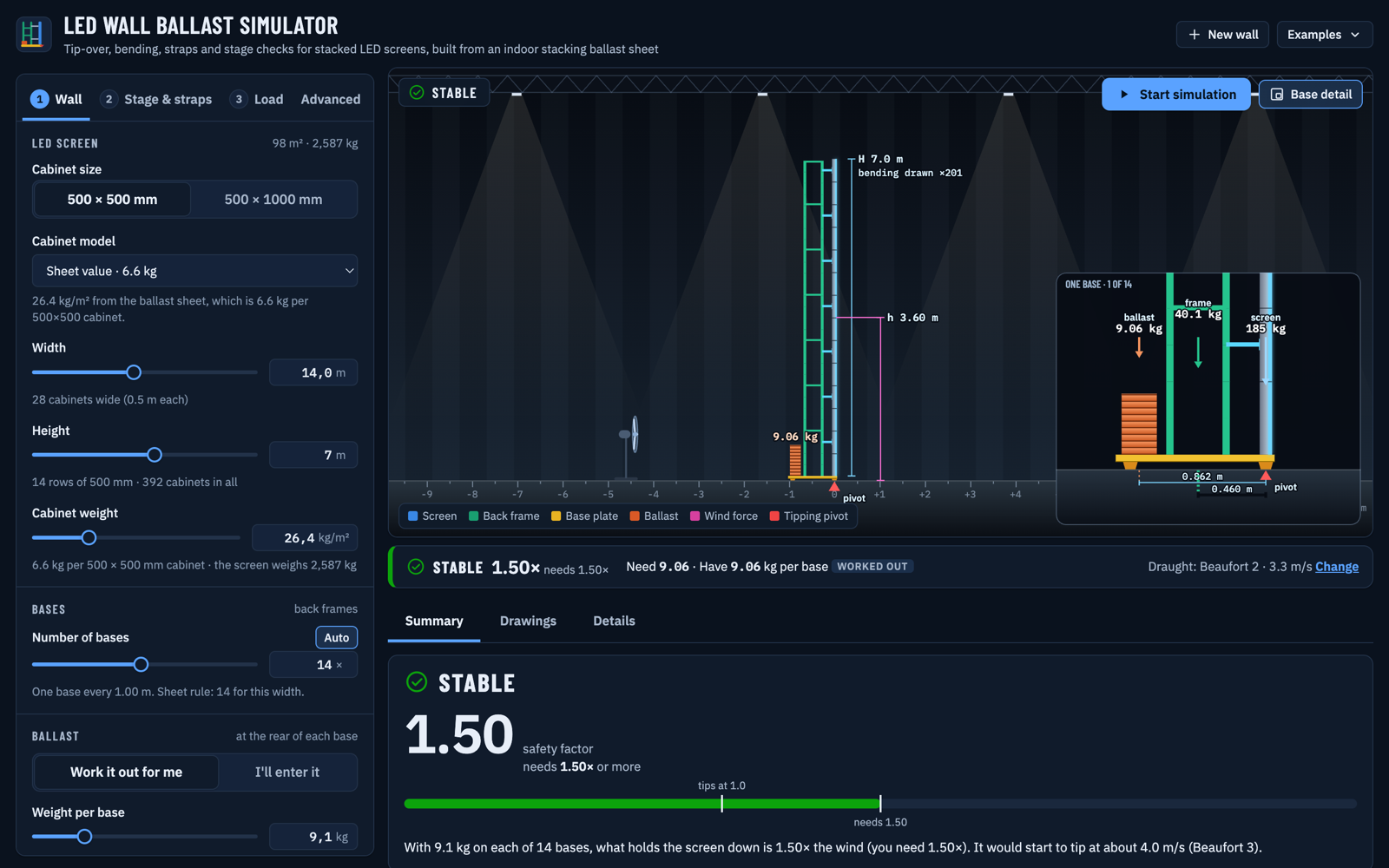
LED Wall Ballast Simulator: wall settings on the left, a side view of a stacked LED wall with its ballast and forces, and the verdict Stable with a safety factor of 1.50
Runs in any browser / nothing to install

LED Wall Ballast Simulator

A stacked LED wall has to stay standing. Set up the wall, its bases and the ballast, push wind at it, and see whether it holds, how far the top bends, and whether the straps and the stage cope.

  • Works out the ballast each base needs for the safety factor you ask for
  • Indoor and outdoor loads: a draught, a door gust, a knock, wind, an earthquake
  • Checks tipping, bending, straps, cabinet locks and the stage underneath

It is a rough reference, not a structural calculation. Have a qualified rigger or engineer approve any real installation.

Free to use

All four are free, also at paid shows. Deck Cue and Command Center are open source under the GPL. Audio Cue and the ballast simulator have their own free-use licences.

Made for real shows

We build these for the events we run ourselves, and we keep fixing what a show teaches us. Rehearse on your own setup before you go live.

Found a problem?

Open an issue on the app's GitHub page, or write to hello@needitcreative.com. Tell us your system and what you were doing.

Need a tool
that doesn't exist?

If your show needs software nobody sells,
tell us what it has to do.